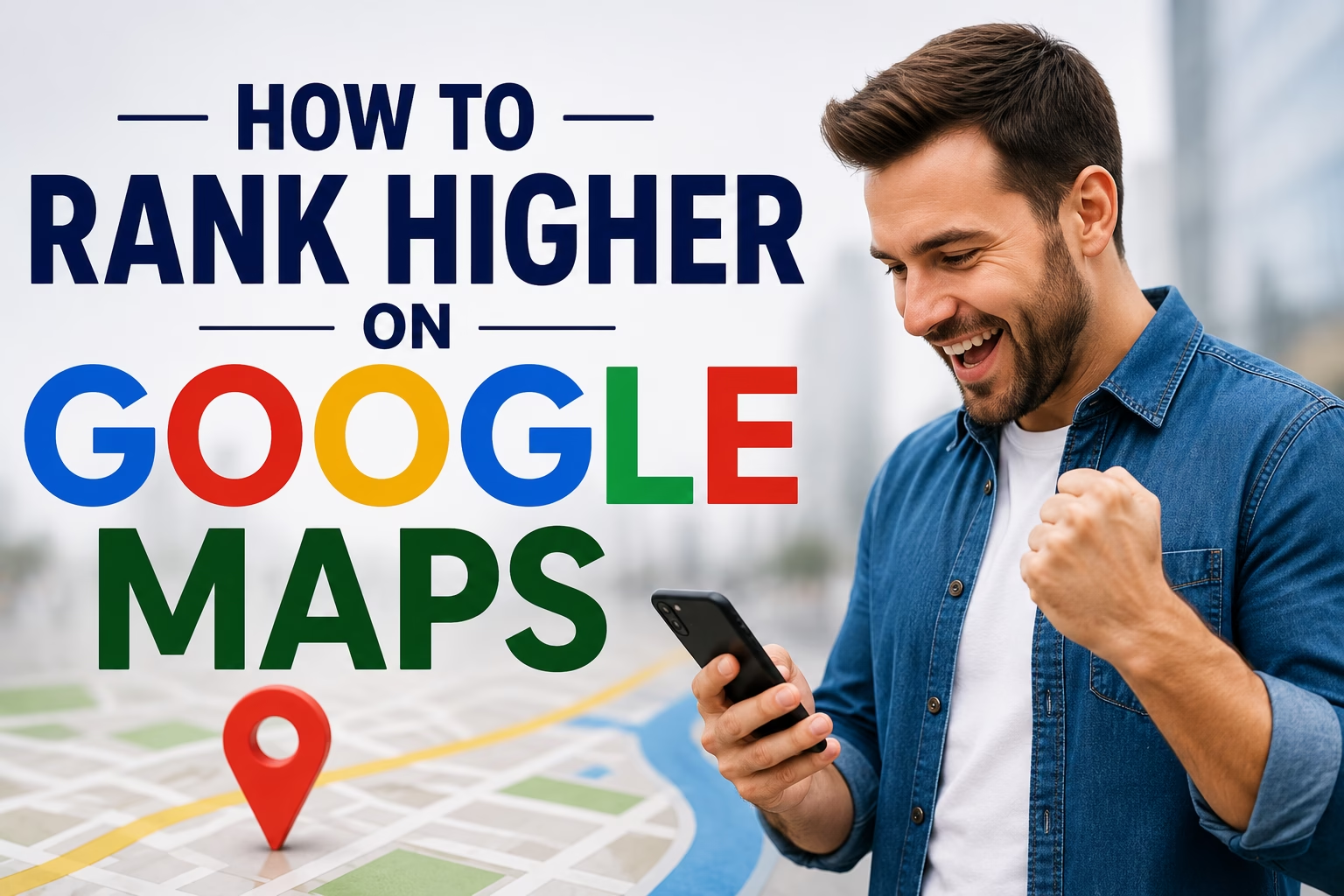
When people need a product or service nearby, their first instinct is often to search on Google. Whether they type “dentist near me,” “best restaurant in Indore,” “digital marketing agency near me,” or “car repair shop nearby,” Google usually displays a map with the top local businesses before the regular search results. This section, known as the Google Maps Local Pack, receives a significant share of user attention and clicks, making it one of the most valuable places for any local business to appear.
Google Maps is no longer just a navigation tool—it has evolved into a powerful local search engine that connects businesses with customers who are ready to take action. Users searching on Google Maps typically have high purchase intent. They are often looking for a business to visit, call, or book immediately. This means that ranking higher on Google Maps can generate qualified leads without relying solely on paid advertising.
For businesses such as dental clinics, hospitals, restaurants, salons, gyms, law firms, real estate agencies, coaching institutes, retail stores, and digital marketing agencies, a strong presence on Google Maps can directly influence customer acquisition. Even if your website has excellent SEO, failing to optimize your Google Business Profile can cause you to miss out on valuable local traffic and potential sales.
According to Google, billions of local searches are performed every month, and a large percentage of users who search for a nearby business visit a store, make a phone call, or complete a purchase within a short period. This demonstrates the importance of being visible exactly when customers are searching for the products or services you offer.

Google Maps rankings are determined by several factors, including relevance, distance, and prominence. Relevance measures how well your business matches the user’s search query, distance considers how close your business is to the searcher, and prominence reflects your business’s reputation through reviews, backlinks, citations, and overall online authority. Businesses that optimize these factors are more likely to secure a position in the highly competitive Local 3-Pack, where the top three map listings receive the majority of clicks and customer interactions.
Ranking higher on Google Maps offers numerous benefits beyond visibility. A well-optimized listing can increase website traffic, phone calls, appointment bookings, direction requests, and customer trust. Features such as customer reviews, high-quality photos, business updates, FAQs, and accurate contact information help potential customers make informed decisions and encourage them to choose your business over competitors.
Another important advantage of Google Maps SEO is its cost-effectiveness. While paid advertising can deliver immediate results, Google Maps optimization provides long-term organic visibility. By consistently improving your Google Business Profile, earning genuine customer reviews, maintaining accurate business information, and strengthening your local SEO efforts, you can continue attracting customers without paying for every click.
As local search becomes increasingly competitive in 2026, simply creating a Google Business Profile is no longer enough. Businesses that actively optimize their listings, publish regular updates, engage with customer reviews, add fresh photos, and build a strong online reputation are more likely to outperform competitors. Google’s algorithms continue to prioritize businesses that deliver accurate information, excellent customer experiences, and trustworthy online signals.
In this comprehensive guide, you’ll learn how Google Maps ranking works and discover proven strategies to improve your local visibility. From optimizing your Google Business Profile and using local keywords to generating authentic customer reviews, building citations, and enhancing your website’s local SEO, these techniques will help your business rank higher on Google Maps, attract more local customers, and achieve sustainable growth in 2026 and beyond.
How Google Maps Ranking Works
Google Maps ranking is based on a sophisticated algorithm designed to show users the most relevant and trustworthy local businesses for their search. Whenever someone searches for terms like “coffee shop near me,” “best dentist in Delhi,” or “digital marketing agency nearby,” Google analyzes hundreds of signals to determine which businesses should appear at the top of the search results.
Unlike traditional organic SEO, where website authority and content play the biggest role, Google Maps focuses heavily on local relevance and user intent. The goal is to provide searchers with businesses that are not only close to their location but also highly relevant, reputable, and likely to offer a positive customer experience.
Google officially states that three primary factors determine Google Maps rankings: Relevance, Distance, and Prominence. Understanding these factors is the first step toward improving your local search visibility.
1. Relevance
Relevance refers to how well your Google Business Profile (GBP) matches what a user is searching for. Google analyzes your business information to determine whether your products or services align with the search query.
For example, if someone searches for “dental implants near me,” Google is more likely to show dental clinics that have listed dental implants as one of their services rather than clinics with incomplete profiles.
You can improve relevance by:
- Completing every section of your Google Business Profile.
- Choosing the most accurate primary and secondary business categories.
- Writing a detailed business description with natural local keywords.
- Adding all your products and services.
- Updating your business hours, contact details, and website.
- Publishing regular Google Posts and answering customer questions.
The more complete and accurate your profile is, the easier it is for Google to understand your business and match it to relevant searches.
2. Distance
Distance measures how close your business is to the location of the person performing the search. If a user includes a city or neighborhood in their search, Google considers businesses within or near that area. If they search using a phrase like “near me,” Google uses the searcher’s current location to determine nearby results.
While you cannot change your physical business location to influence rankings, you can strengthen other ranking factors to improve your chances of appearing in search results beyond your immediate area.
To maximize visibility:
- Ensure your business address is accurate.
- Verify your location through Google Business Profile.
- Create location-specific pages on your website if you serve multiple areas.
- Clearly define your service areas if you provide services at customer locations.
Businesses with verified and accurate location details are more likely to rank well for local searches.
3. Prominence
Prominence refers to how well-known and trusted your business is, both online and offline. Google evaluates your business’s reputation by analyzing various trust signals.
Some of the strongest prominence factors include:
- Number of customer reviews.
- Overall review ratings.
- Frequency of new reviews.
- Quality of review responses.
- Local backlinks from trusted websites.
- Mentions of your business across the web.
- Consistent business information (NAP) on online directories.
- Website authority and local SEO performance.
- Business citations.
- Brand recognition and customer engagement.
For example, if two businesses offer the same service in the same area, the one with more positive reviews, a stronger online presence, and better website authority is more likely to rank higher.
Building prominence takes time, but it creates lasting results and improves both Google Maps and organic search visibility.
Additional Factors That Influence Google Maps Rankings
Although Google highlights relevance, distance, and prominence as the core ranking factors, several other elements also contribute to your local rankings.
Google Business Profile Completeness
A fully optimized profile with updated information, business hours, services, photos, and attributes provides Google with more confidence in your business.
Customer Reviews
Positive reviews are one of the most influential ranking signals. Businesses with a steady flow of authentic reviews and thoughtful responses tend to perform better in local search results.
Local Citations
Your business name, address, and phone number (NAP) should be consistent across trusted directories such as Google Business Profile, Bing Places, Apple Business Connect, Justdial, Yelp, and industry-specific websites.
Website Quality
Google often evaluates your website alongside your Business Profile. A fast, mobile-friendly website with optimized local landing pages, clear contact information, and valuable content supports stronger Google Maps rankings.
Local Backlinks
Links from local newspapers, business associations, community organizations, and reputable websites increase your authority and credibility.
User Engagement Signals
Google measures how users interact with your Business Profile. Positive engagement signals include:
- Clicking your website.
- Calling your business.
- Requesting directions.
- Booking appointments.
- Viewing photos.
- Asking questions.
- Reading reviews.
Profiles that receive regular engagement often perform better over time.
Fresh Content
Regularly publishing Google Posts, uploading new photos and videos, updating services, and sharing business announcements demonstrate that your business is active and well-maintained.
Behavioral Signals
Google may also consider user behavior, such as click-through rates, repeat visits to your profile, and how often users choose your business compared to competitors. These signals help Google identify businesses that consistently satisfy searchers.
Optimize Your Google Business Profile Completely
Your Google Business Profile (GBP) is the most important factor for improving your Google Maps rankings. It acts as your business’s digital storefront and is often the first impression potential customers have of your brand. When someone searches for your products or services on Google Search or Google Maps, your profile displays essential information such as your business name, address, phone number, website, operating hours, customer reviews, photos, services, and directions.
Many businesses create a Google Business Profile but never fully optimize it. Incomplete or outdated profiles make it difficult for Google to understand your business and reduce your chances of appearing in the Local 3-Pack. On the other hand, a complete, accurate, and regularly updated profile sends strong trust signals to Google and provides users with the information they need to choose your business over competitors.
The first step is to claim and verify your Google Business Profile. Verification confirms that you are the legitimate owner of the business and allows you to manage your listing. Verified businesses are generally considered more trustworthy by both Google and potential customers.
Complete Every Section of Your Profile
Google rewards businesses that provide complete and accurate information. Fill out every available field in your profile instead of leaving sections blank.
Your profile should include:
- Business Name
- Primary Business Category
- Secondary Categories
- Complete Business Address
- Phone Number
- Website URL
- Business Hours
- Holiday Hours
- Appointment Booking Link
- Products
- Services
- Business Description
- Attributes (Wheelchair Accessible, Free Wi-Fi, Parking, etc.)
- FAQs
- Opening Date
- Service Areas (if applicable)
A complete profile helps Google better understand your business and increases your chances of appearing for relevant local searches.
Choose the Right Primary and Secondary Categories
Your primary category is one of the strongest local ranking signals.
For example:
- Dentist
- Digital Marketing Agency
- Restaurant
- Real Estate Agency
- Gym
- Car Repair Shop
Choose the category that most accurately describes your core business. After selecting your primary category, add relevant secondary categories to describe additional services.
For example, a dental clinic could add:
- Cosmetic Dentist
- Dental Implants Provider
- Pediatric Dentist
- Orthodontist
Selecting accurate categories improves your relevance for different search queries.
Write a Keyword-Rich Business Description
Your business description tells both Google and potential customers what your business offers.
Write a clear and informative description that naturally includes:
For example:
“StubbSpire Digital Marketing Agency helps businesses grow through SEO, Google Ads, Local SEO, website development, and social media marketing. We provide customized digital marketing solutions that increase online visibility, generate qualified leads, and drive business growth across India.”
Avoid keyword stuffing. Focus on writing for people first while naturally incorporating relevant keywords.
Add All Your Services and Products
Many businesses overlook the Products and Services sections of their Google Business Profile.
List every service you provide with a clear title and detailed description.
Example for a digital marketing agency:
- Search Engine Optimization (SEO)
- Local SEO
- Google Ads Management
- Social Media Marketing
- Website Development
- Content Marketing
- E-commerce SEO
- Technical SEO
- Online Reputation Management
- Email Marketing
This helps Google understand the full range of your offerings and improves your visibility for service-specific searches.
Upload High-Quality Photos and Videos
Visual content plays a major role in attracting customers and increasing engagement.
Upload authentic, high-resolution images of:
- Your storefront
- Office or clinic
- Team members
- Products
- Services in action
- Interior and exterior
- Equipment
- Customer interactions (with permission)
Videos showcasing your business, services, or customer experiences can also improve user engagement and build trust.
Regularly adding fresh media signals to Google that your business is active and well-maintained.
Keep Business Information Accurate
Your business information should always be current and consistent.
Regularly review and update:
- Business hours
- Phone number
- Address
- Website URL
- Holiday schedules
- Service areas
- Appointment links
Even small inconsistencies can confuse customers and negatively affect your local rankings.
Enable Messaging and Appointment Booking
If available for your business category, enable features like:
- Google Messaging
- Appointment Booking
- Quote Requests
- Call Buttons
These features make it easier for customers to contact you directly from your profile and increase user engagement—an important local ranking signal.
Publish Google Posts Regularly
Google Posts keep your profile active and provide fresh content for both users and search engines.
Share updates about:
- Special offers
- New services
- Company news
- Blog articles
- Events
- Customer success stories
- Seasonal promotions
Posting once or twice a week demonstrates that your business is active and engaged with its audience.
Answer Questions in the Q&A Section
Customers often ask questions directly on your Google Business Profile.
Monitor this section regularly and provide clear, helpful answers. You can also add frequently asked questions yourself to address common customer concerns before they ask.
Examples include:
- Do you offer same-day appointments?
- What payment methods do you accept?
- Do you provide free consultations?
- What are your business hours?
A well-maintained Q&A section improves the customer experience and can increase conversions.
Encourage and Respond to Customer Reviews
Customer reviews are one of the strongest Google Maps ranking factors.
Encourage satisfied customers to leave honest reviews and respond to every review—both positive and negative—in a professional manner.
Thank customers for positive feedback and address concerns raised in negative reviews with empathy and solutions. Active review management demonstrates that you value customer feedback and helps build trust with both users and Google.
Monitor Google Business Profile Insights
Use the insights available in your Google Business Profile dashboard to understand how customers interact with your listing.
Track metrics such as:
- Search queries used to find your business
- Profile views
- Website clicks
- Phone calls
- Direction requests
- Photo views
- Popular times
Reviewing this data regularly helps you identify opportunities to improve your profile and refine your local SEO strategy.
Keep Your Profile Updated
Google favors businesses that maintain an active and accurate profile. Make it a habit to:
- Add new photos every month.
- Publish Google Posts weekly.
- Update services when they change.
- Respond to reviews promptly.
- Refresh business hours for holidays.
- Check for suggested edits from users.
- Monitor performance and make improvements based on insights.
A consistently updated profile signals that your business is reliable, active, and committed to providing a great customer experienc
4. Use the Right Local Keywords in Your Profile
Using the right local keywords helps Google understand what your business offers and where you provide your services. Local keywords are search terms that combine your products or services with a specific location. For example, instead of targeting a broad keyword like “dentist,” a better local keyword would be “dentist in Indore” or “best dental clinic near Vijay Nagar.” These keywords help your business appear in relevant local searches on Google Maps and Google Search.
Start by researching the phrases your customers are actually using. You can find keyword ideas using Google Search autocomplete, Google Business Profile Insights, Google Keyword Planner, or SEO tools like Ahrefs and Semrush. Focus on keywords with strong local intent, such as “near me,” city names, neighborhoods, and specific services.
Once you’ve identified your target keywords, use them naturally throughout your Google Business Profile. Include them in your business description, services, products, Google Posts, FAQs, and photo captions where appropriate. If your business serves multiple cities or neighborhoods, mention those service areas naturally instead of stuffing your profile with location names.
For example, a digital marketing agency might write: “We provide SEO, Google Ads, Local SEO, website development, and social media marketing services for businesses in Indore, Bhopal, and across India.” This approach is informative and keyword-rich without sounding unnatural.
Avoid keyword stuffing or adding unnecessary keywords to your business name, as this violates Google’s guidelines and may result in profile suspension. Focus on writing clear, customer-friendly content that accurately describes your business and the locations you serve.
5. Get More High-Quality Customer Reviews
Customer reviews are one of the strongest ranking signals for Google Maps. They not only influence your local rankings but also build trust with potential customers. A business with hundreds of authentic positive reviews is far more likely to attract new customers than one with only a few reviews or none at all.
Google evaluates the quantity, quality, recency, and relevance of your reviews. Businesses that consistently receive new reviews demonstrate that they are active and providing good customer experiences.
Encourage satisfied customers to leave honest reviews after completing a purchase or service. You can share your review link through email, SMS, WhatsApp, or QR codes placed at your business location. Make the process as simple as possible to increase participation.
Respond to every review, whether positive or negative. Thank customers for positive feedback and address complaints professionally. Thoughtful responses show that you value customer opinions and care about providing excellent service.
Encourage customers to mention the specific service they received and, if appropriate, the location. Reviews containing natural service-related keywords can provide additional relevance for local searches.
Never purchase fake reviews or offer incentives in exchange for positive ratings. Google’s algorithms are becoming increasingly effective at identifying fraudulent reviews, and violating its policies can damage your rankings and reputation.
6. Build Consistent Local Citations Across the Web
Local citations are online mentions of your business’s Name, Address, and Phone Number (NAP) on business directories, local websites, and industry-specific platforms. Citations help Google verify that your business is legitimate and trustworthy.
Consistency is essential. Your business name, address, phone number, website URL, and business category should be identical across all platforms. Even small differences, such as abbreviating “Street” on one website and spelling it out on another, can create confusion.
List your business on trusted directories such as Google Business Profile, Bing Places, Apple Business Connect, Facebook Business, Justdial, Sulekha, IndiaMART, Yelp, and Yellow Pages. If you operate in a specialized industry, submit your business to relevant niche directories as well.
Regularly audit your citations to identify duplicate listings or outdated information. Correcting inconsistencies helps Google trust your business data and improves your local search visibility.
Citations may not always drive direct traffic, but they strengthen your local SEO foundation and contribute to higher Google Maps rankings.
7. Optimize Your Website for Local SEO
Your website and Google Business Profile work together to improve local search performance. Even if your Business Profile is fully optimized, a poorly optimized website can limit your Google Maps visibility.
Start by ensuring your website is fast, mobile-friendly, and secure with HTTPS. Most local searches occur on smartphones, so a responsive design is essential.
Create dedicated service pages and location-specific landing pages if you serve multiple cities or neighborhoods. Each page should include unique content, relevant local keywords, customer testimonials, contact information, and clear calls to action.
Optimize important on-page SEO elements, including title tags, meta descriptions, headings, image alt text, and internal links. Add your business’s Name, Address, and Phone Number consistently across your website, particularly on the contact page and footer.
Embedding a Google Map on your contact page and implementing LocalBusiness Schema Markup help search engines better understand your business details.
Publishing helpful blogs about local events, industry news, and customer questions also strengthens your website’s authority and supports your Google Maps rankings.
8. Publish Local Content to Increase Authority
Creating valuable local content helps establish your business as an authority within your community while improving your visibility in local search results.
Write blog posts that answer common customer questions, highlight local events, discuss community initiatives, or provide useful industry advice relevant to your target audience. This type of content demonstrates expertise and creates additional opportunities to rank for local search terms.
For example, a dental clinic might publish articles such as “How to Choose the Best Dentist in Indore,” “Top Causes of Tooth Sensitivity During Summer,” or “What to Expect During Your First Dental Implant Consultation.”
A digital marketing agency could create content like “Local SEO Tips for Small Businesses in Indore” or “How Google Maps Can Help Local Businesses Generate More Leads.”
Local content also increases the likelihood of earning backlinks from community websites, local newspapers, and industry organizations, further strengthening your online authority.
Update your blog regularly with fresh, high-quality articles that address customer needs and local search intent.
9. Improve User Engagement and Google Maps Signals
Google monitors how users interact with your Google Business Profile to determine whether your listing provides value to searchers. Higher engagement often indicates that users find your business relevant and trustworthy.
Important engagement signals include:
- Website clicks
- Phone calls
- Direction requests
- Appointment bookings
- Photo views
- Review submissions
- Questions and answers
- Time spent viewing your profile
You can increase engagement by keeping your profile active. Publish weekly Google Posts, upload new photos regularly, respond to reviews promptly, and answer customer questions. High-quality images of your team, products, services, and business location often generate more profile views and interactions.
Encourage customers to click through to your website, book appointments, or request directions by including clear calls to action in your profile and posts.
Google recognizes businesses that consistently receive meaningful customer interactions and may reward them with improved local rankings over time.
10. Common Google Maps SEO Mistakes to Avoid
Even businesses that invest in local SEO often make mistakes that limit their Google Maps performance. Avoiding these common errors can significantly improve your chances of ranking higher.
Some of the most frequent mistakes include:
- Leaving your Google Business Profile incomplete.
- Selecting incorrect business categories.
- Using inconsistent Name, Address, and Phone Number information across directories.
- Ignoring customer reviews or failing to respond.
- Uploading outdated or low-quality photos.
- Publishing inaccurate business hours.
- Keyword stuffing your business name or description.
- Creating duplicate Google Business Profiles.
- Neglecting website optimization.
- Failing to publish regular Google Posts.
- Buying fake reviews or violating Google’s policies.
- Ignoring profile insights and performance data.
Regularly reviewing and updating your profile helps prevent these issues and ensures that your business remains competitive in local search results.
Frequently Asked Questions (FAQs)
1. How long does it take to rank higher on Google Maps?
Most businesses begin to see improvements within 2 to 6 months, depending on competition, profile optimization, customer reviews, and overall local SEO efforts.
2. Are Google reviews important for Google Maps rankings?
Yes. The quality, quantity, and freshness of customer reviews are among the most influential Google Maps ranking factors.
3. Can I rank on Google Maps without a website?
Yes, a verified Google Business Profile can appear in Google Maps without a website. However, having a well-optimized website significantly improves your visibility, credibility, and ability to rank for competitive local searches.
4. How often should I update my Google Business Profile?
You should update your profile regularly by adding new photos, publishing weekly Google Posts, responding to reviews, and ensuring your business information is always accurate.
5. What is the Local 3-Pack?
The Local 3-Pack is the group of three business listings that Google displays prominently in local search results above the organic listings. Ranking in this section can dramatically increase your visibility, website traffic, phone calls, and customer inquiries.
Conclusion
Ranking higher on Google Maps requires more than simply creating a Google Business Profile. Success comes from consistently optimizing your profile, using relevant local keywords, earning genuine customer reviews, maintaining accurate business information, building local citations, improving your website’s local SEO, publishing valuable local content, and encouraging customer engagement. By following these proven strategies, your business can improve its visibility in Google’s Local 3-Pack, attract more qualified local customers, and generate sustainable growth in 2026 and beyond.
Author Bio
Takshika sakhare is an SEO and Digital Marketing Specialist with over 8 years of experience helping businesses improve their online visibility through Local SEO, Google Business Profile optimization, search engine optimization, and content marketing. As part of StubbSpire Digital Marketing Agency, Ananya specializes in creating data-driven local SEO strategies that help businesses rank higher on Google Maps, increase website traffic, generate qualified leads, and achieve long-term business growth through ethical and effective digital marketing practices.